Route planning software for UK multi-drop deliveries
If you run your own vans for UK ecommerce or trade deliveries, the hard part is rarely a single drop. It is a morning of multi-drop runs, orders from more than one shop, and a team that needs a clear route before the vans leave the yard.
Orders from every shop land in one place, ready to plan — no double entry. You build the routes, sequence the stops, or optimise the route at the click of a button, then release them to the driver. Routes in seconds, and a live map that refreshes through the day.
Try it free for 30 days. No card is needed, you can cancel anytime, and DEL44 is UK only.
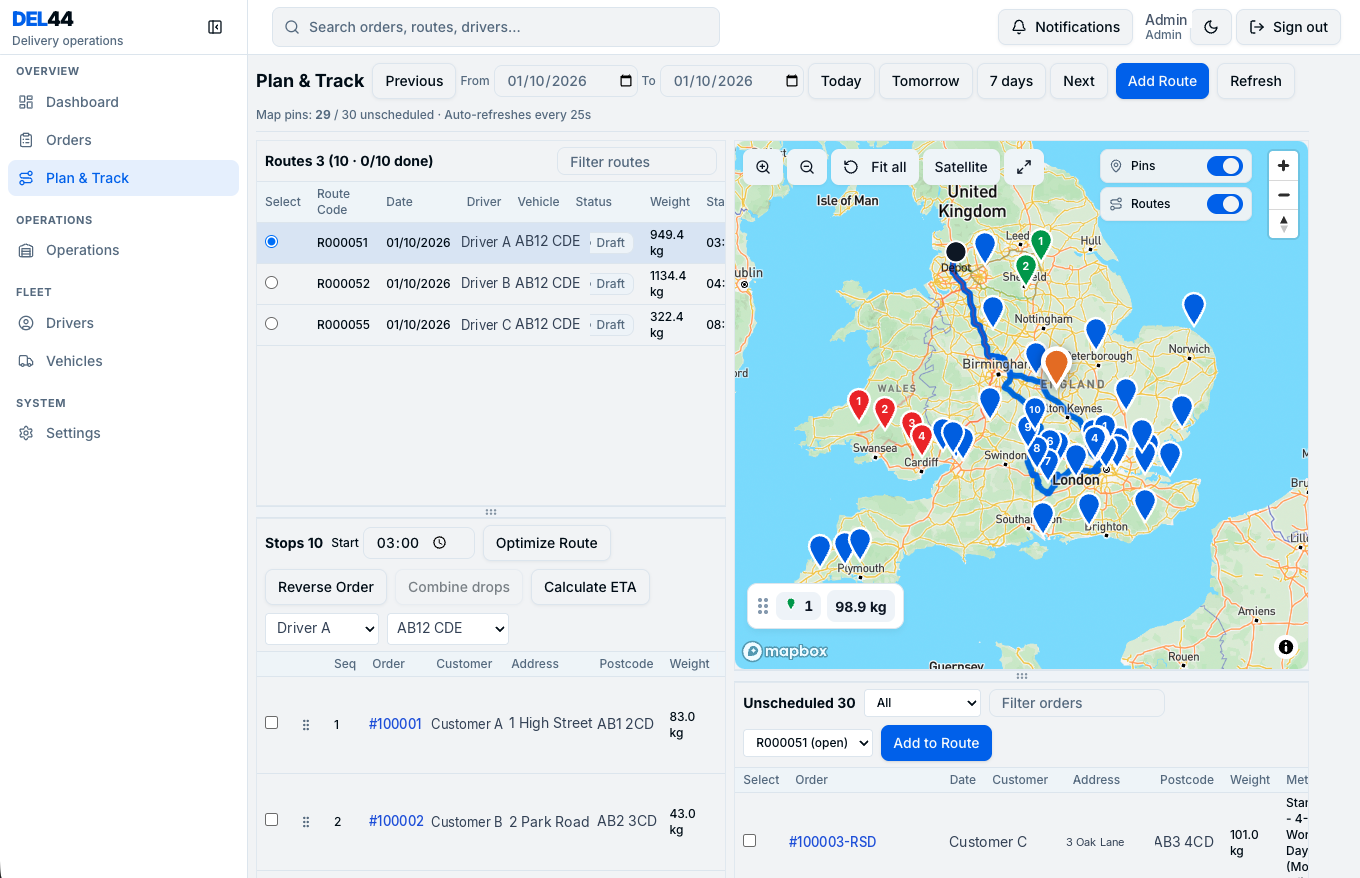
From the order board to a planned route
You shouldn’t have to retype orders before you can plan the day.
Orders from Shopify, eBay, Amazon, WooCommerce and B&Q come onto one fulfilment board, ready to plan — no double entry. Connecting Shopify takes a few minutes. Here’s how.
From the same board you can plan work for your own vans, or Book couriers from the order when a parcel should not go on a van. Unscheduled orders sit alongside the routes and a UK map, so you can see what still needs a run before you sequence the stops.
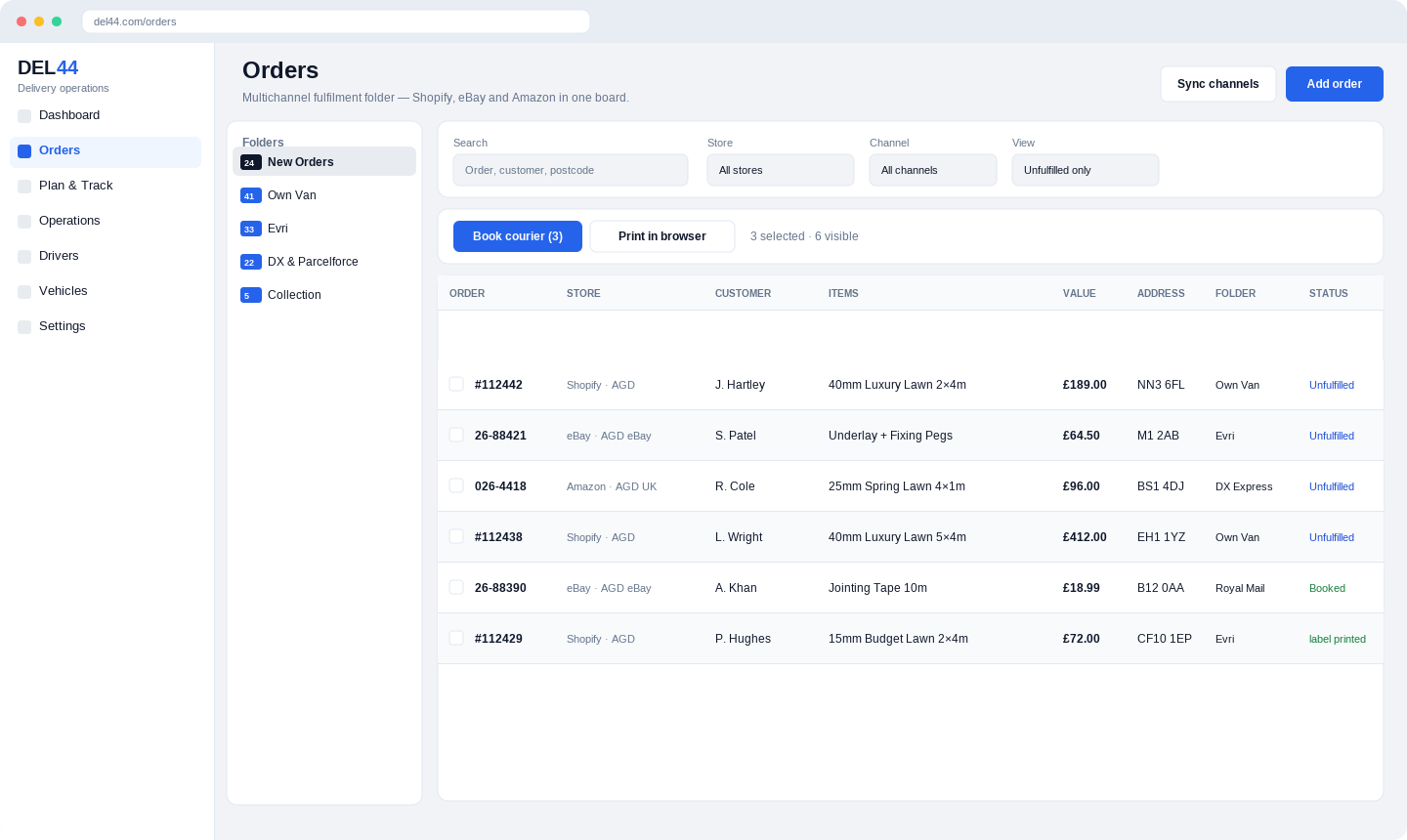
Plan a multi-drop day, then release it
You build routes, sequence stops and release them to the driver. The driver gets a clear, ordered list of drops — a multi-drop route they can follow, not a pile of addresses in a chat message. Routes in seconds, so the first hour of the morning is not spent rebuilding the same plan from scratch.
Routes appear in the driver app once your office releases them for that day, so drivers are not looking at a half-finished run. While the day is under way, a live map sits with the routes and refreshes as the vans work through their stops.
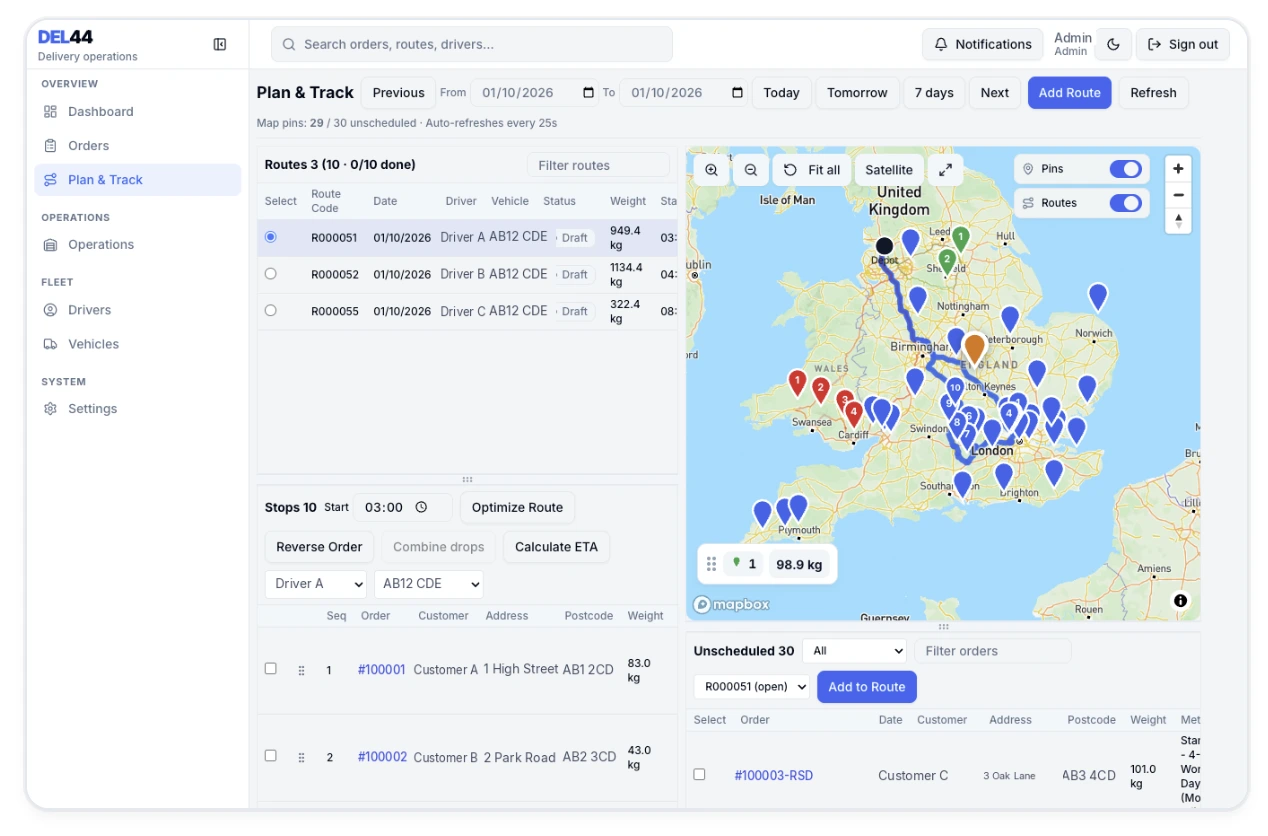
Optimise the route at the click of a button
Once the day’s stops are in, you can optimise the route at the click of a button. The sequence is worked out for you, rather than built only by hand, and you can then release the finished run to the driver.
You can also set the conditions that matter on a UK van run:
- Time windows. If a customer needs a delivery in a particular part of the day, set a time window on that stop.
- Vehicle capacity. Set how much the van can carry, so the plan doesn’t overload it.
- Depot start-from and end-at. Set where the route starts and where it should finish, so the run begins and ends where you need it to.
Routes on the phone your drivers already carry
The DEL44 Driver app puts the day’s route on any Android phone or iPhone. Drivers use the phone they already carry.
Directions, scans and proof at each stop
Stops show in order. One tap opens Google Maps or Apple Maps for directions to the next address.
At the door, drivers scan each parcel. A warning shows if it belongs to a different stop, which helps when a van is carrying many similar packages. They can also capture a photo and signature as proof of delivery, which is emailed to the customer.
The app keeps working offline
No signal? The app keeps working offline. Deliveries sync when the phone is back online, and proof of delivery photos and signatures upload automatically. Customers get tracking updates as the van works through the route.
The app uses the driver’s location only while a route is active, to share position and ETA with your dispatcher and with customers. It also works without location turned on.
Track the vans as the day unfolds
Once a route is released, the office and the customer should both be able to see progress.
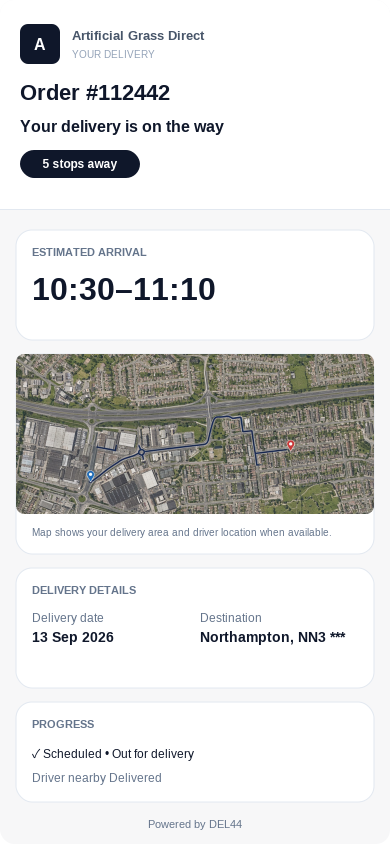
The office gets a live map, refreshed through the day. Customers get a tracking page with a live ETA, how many stops away the van is, and a map so they can follow it — the van, not a black hole.
Customers can also get email and SMS updates when a delivery is scheduled, out for delivery, the driver is nearby, delivered, failed or rescheduled. Updates are by email and SMS. SMS is prepaid credit and is not included in the monthly price; see pricing.
Load the right van for the route
A planned route only works if the right parcels leave on the right vehicle.
Each route gets a loading list. Staff scan every label as it goes on the van. There is a beep on every scan, which you can mute, and warnings if a label belongs on a different van or has already been scanned. Where an order has more than one piece, labels can be unique to each piece — for example 12345-1 and 12345-2.
Loading runs in the phone browser your team already has, so signing a route out does not depend on a separate handheld system.
Book a courier when a van is not the right option
Not every order belongs on your own vehicles. From the same order board you can Book couriers from the order: pick the account, weigh the parcel and print the label.
At the packing bench, Print Station runs on your computer and prints labels to your Zebra printer automatically. It handles courier and van labels, supports several printers per station, and can Auto-print for couriers.
Van runs and courier jobs stay on one system, so the office is not switching tools mid-morning.
Start a 30-day free trial
You can start a 30-day free trial. No card is needed to begin. You can cancel anytime; a paid month runs until the end of that month. Prices include VAT. Current plans, driver and depot limits, and any founder offer are on the pricing page.
We’ll get you ready to run your first route on a free video call — shops connected, drivers and vans added, couriers and printing set up. Email support@del44.com with the subject “Free setup” to book it, or book a demo first if you would rather see the product before you start the trial.
Questions about route planning software
What is route planning software?
Route planning software helps you turn a list of deliveries into ordered runs for your drivers. In DEL44, orders from your shops come onto one board, you build and sequence multi-drop routes — or optimise the route at the click of a button — and you release them to the DEL44 Driver app on iPhone or Android.
Can DEL44 plan multi-drop routes for our own vans?
Yes. You can build multi-drop routes for your own vans, sequence the stops and release them to the driver. Unscheduled orders sit on the same screen as the routes and a UK map, so you can see what still needs planning.
Can we set time windows, vehicle capacity and where a route starts and ends?
Yes. You can set a time window on a stop, set the vehicle’s capacity, and set where the route starts from and where it should end. You can then optimise the route at the click of a button.
How do drivers get the route and directions?
The office releases the route for that day. It then appears in the DEL44 Driver app. Stops are shown in order, and one tap opens Google Maps or Apple Maps for directions.
Can we import Shopify and other ecommerce orders?
Yes. Orders from Shopify, eBay, Amazon, WooCommerce and B&Q come onto one fulfilment board, ready to plan — no double entry. Connecting Shopify takes a few minutes. Here’s how.
Does the driver app work without a phone signal?
Yes. The app keeps working offline. Deliveries sync when the phone is back online, and proof of delivery photos and signatures upload automatically.
Is there a free trial, and is DEL44 only for the UK?
Yes, on both counts. You can start a 30-day free trial, with no card needed. You can cancel anytime. DEL44 is UK only. You can also book a demo. See pricing for current plans.